What Is Alt Text? #
Alternative (Alt) Text is a short written description of an image, icon, or graphic. It plays a key role in making digital content accessible to everyone. By including alt text whenever you add visuals, you ensure that users who rely on screen readers or other assistive technologies can understand the purpose of the image.
Alt text doesn’t just describe what’s in the picture—it should explain how the image supports or relates to the surrounding content.
Alt Text Best Practices #
- Keep it brief: 1–2 sentences is usually enough.
- Focus on purpose: Describe the important elements that explain why the image is there.
- Skip unnecessary phrases: Don’t start with “image of” or “picture of”—screen readers already identify it as an image.
- Identify the type when relevant: Say if it’s a logo, painting, cartoon, or illustration.
- Avoid redundancy: Don’t repeat text that already appears next to the image.
- Use proper punctuation: End your alt text with a period so screen readers pause correctly.
Alt Text Examples #
Photographs #
For photographs, include key specifics like names, locations, or actions. Think about why you chose the image and what you want your audience to take away from it.
Photographs Example 1

Alt Text: Two young college students chat with each other as they walk down a brick sidewalk.
Photographs Example 2

Alt Text: The front of UMW’s Jepson Science Center with large white columns and a blooming pink cherry tree.
Consider the Context #
When writing alt text, always consider the context of where and how the image is used. The surrounding text may change which details are most important.
Use Case 1 #

- Context: Article titled “Spring at UMW” highlighting campus life and student gatherings.
- Alt Text: Daffodils blooming in the lawn in front of residence halls.
Use Case 2 #
- Context: Article titled “The Link Inspires Connection” focused on programming happening in the Link.
- Alt Text: The Link, a low brick building, that connects Mason and Randolph residence halls, on a spring day with daffodils in the foreground.
Note: The above example is a remix of Harvard’s guidance on alt text
Icons #
When adding icons, consider their purpose — whether they are meant to display a logo, signal an action, or function as a link to another page.
Icons Example 1 – Logo

Alt Text: University of Mary Washington wordmark logo
Icons Example 2 – Action
For action icons, the alt text should describe the action that will happen when the icon is selected, such as “Download Course Syllabus” or “Search.”

Alt Text: Print the UMW Campus Map.
Icons Example 3 – Link
If the icon is used as a link to another page, the alt text should describe the destination or action.

Alt Text: Visit the UMW Instagram page.
Note: The above example is a remix of Harvard’s guidance on alt text
Illustrations #
For creative illustrations, focus on the purpose of the image rather than every detail. If the image includes text (such as in a cartoon or an application screenshot), describe both the important visuals and the key text.
Illustration Example 1
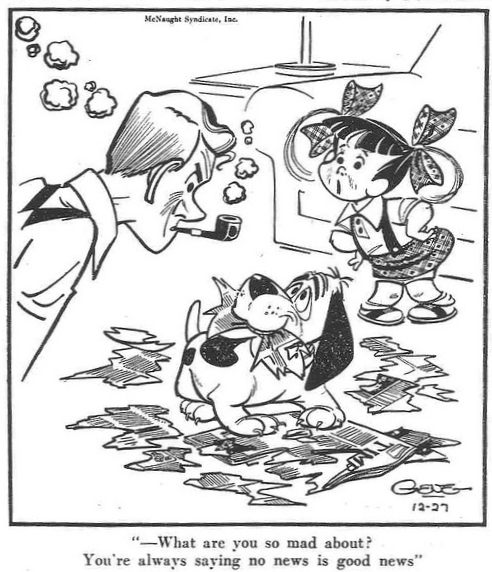
Alt Text: Cartoon of a young child talking to her father who is looking down angrily at the pet dog who has ripped apart a newspaper. Text below reads “What are you so mad about? You’re always saying no news is good news.”
Illustration Example 2
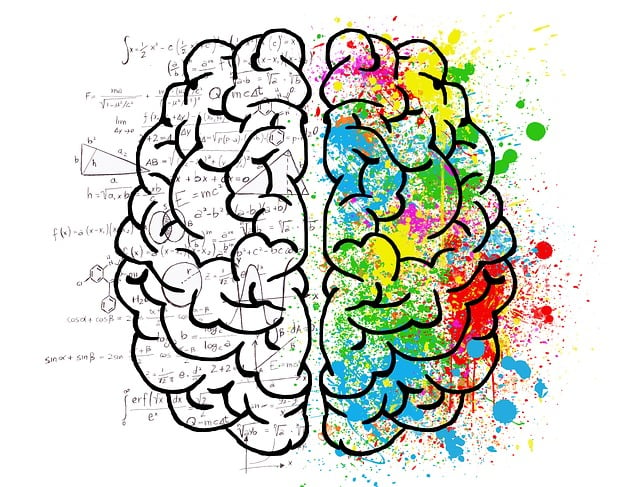
Alt Text: Illustration of right and left brain theory — left brain is black and white with math formulas and molecule diagrams while right brain is splattered with rainbow colors across the hemisphere.
Illustration Example 3

Alt Text: A minimalist illustration of a parent and child in matching outfits walk down a boardwalk while two seagulls fly overhead. The child is holding a balloon.
Note: The above example is a remix of Harvard’s guidance on alt text
Diagrams #
For diagrams or images that present data, aim to summarize the main message and key data points in one or two sentences. If the image is complex, consider adding supporting text nearby or providing a link to the full dataset.
Diagram Example 1
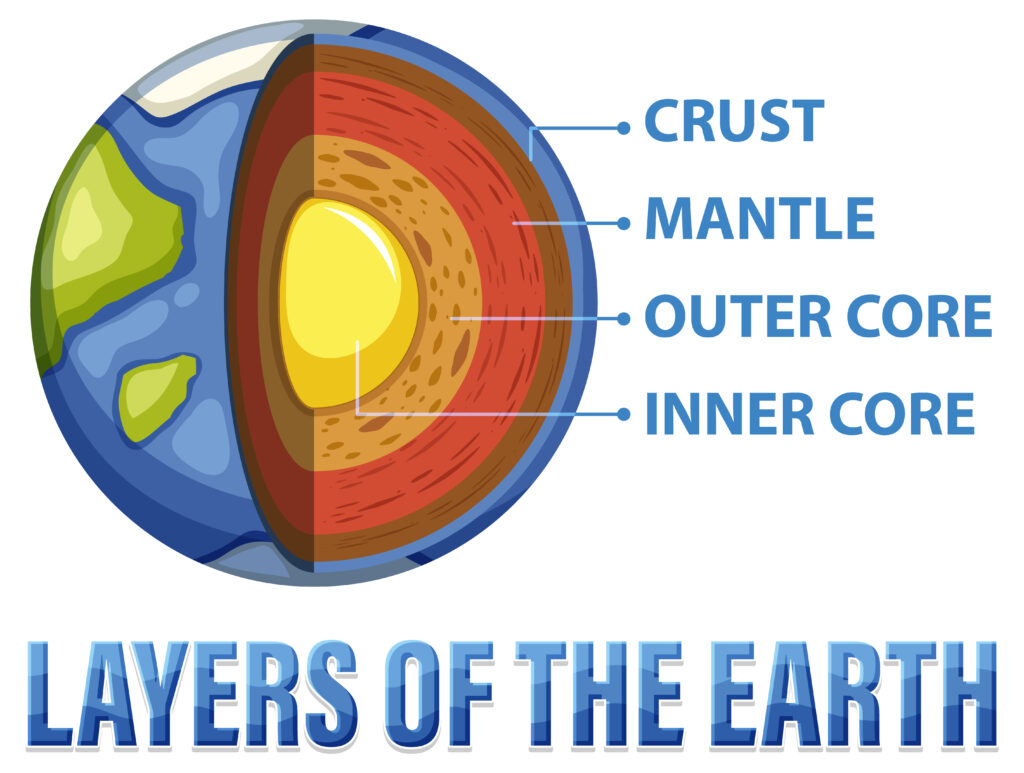
Alt Text: Diagram showing the four layers of the earth, from top going inward: crust, mantle, outer core, inner core
Diagram Example 2
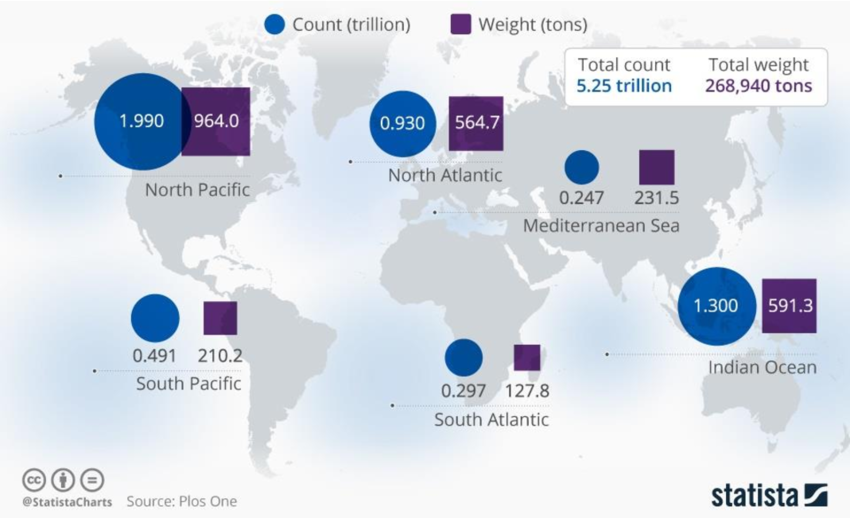
Alt Text: World map of ocean plastic pollution by count and by weight. From most to least by count: North Pacific, Indian Ocean, North Atlantic, South Pacific, South Atlantic, and Mediterranean Sea.
Diagram Example 3
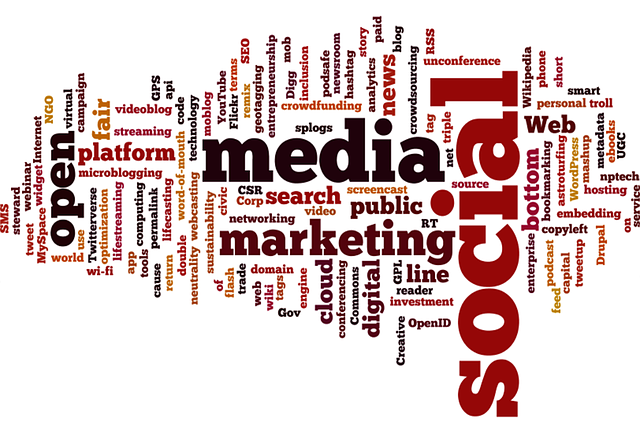
Alt Text: A word cloud with social media terms, largest to smallest: social, media, marketing, open, web, platform, and other smaller social media terms.
Note: The above example is a remix of Harvard’s guidance on alt text
Why does Alt Text matter? #
1. Accessibility for Screen Reader Users #
Alt text ensures that people who are blind or have low vision can access the same information as sighted users.
2. Communicating Information When Images Don’t Load #
If an image fails to load (due to poor internet connection or technical issues), the alt text appears instead.
3. Search Engine Optimization (SEO) #
Alt text also helps search engines understand what’s in an image, which can improve how content shows up in search results.